DPM Hub
What they needed
Desert Palm Marketing runs door-to-door fiber internet sales teams in Arizona. The office had grown a tool at a time: a sales dashboard, an agent portal, a recruiting inbox, a payroll spreadsheet and an onboarding form, each with its own login and its own copy of the roster. Every week someone matched carrier reports to reps by hand, chased W-9s and bank details by text, and rebuilt pay from three sources.
What we built
We built the agent portal and the admin dashboard first, as two small PHP apps. In 2026 they were rebuilt as one Laravel and PostgreSQL platform, the Hub, and recruiting, onboarding and payroll moved in beside them. It runs on hosting we manage, for one flat annual fee.
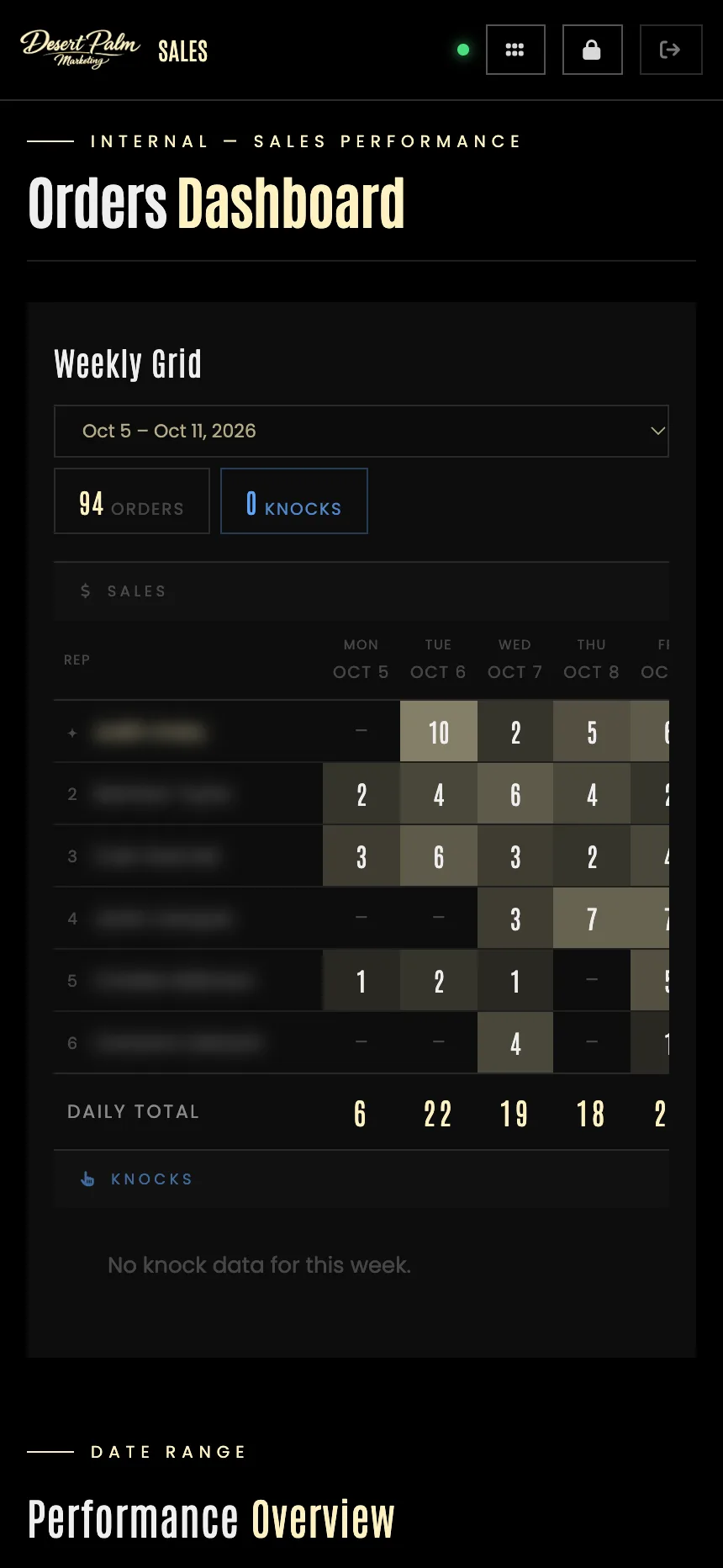
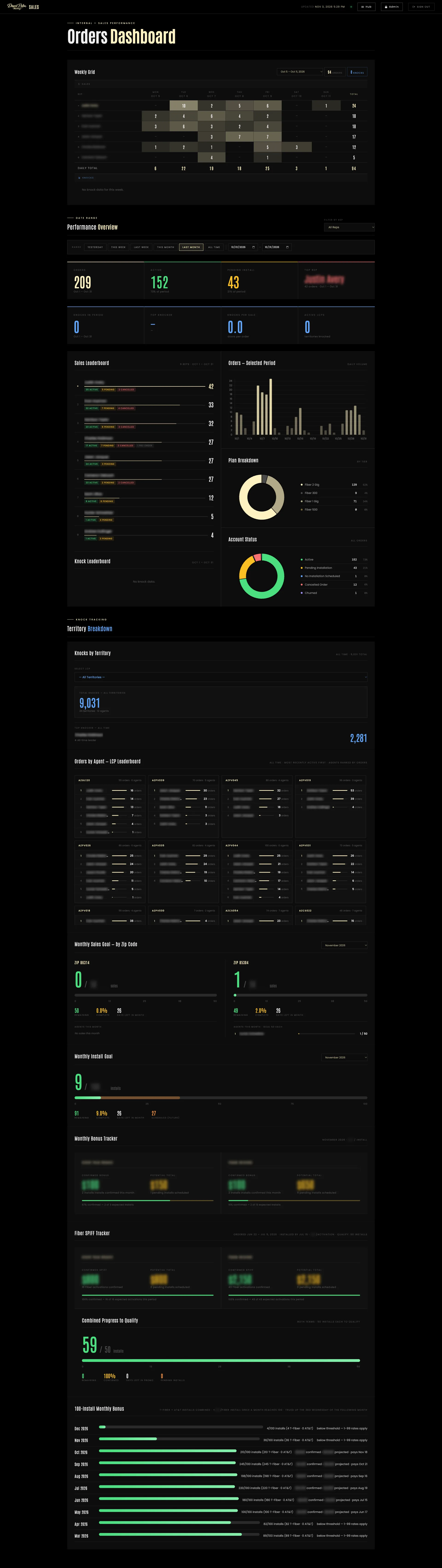
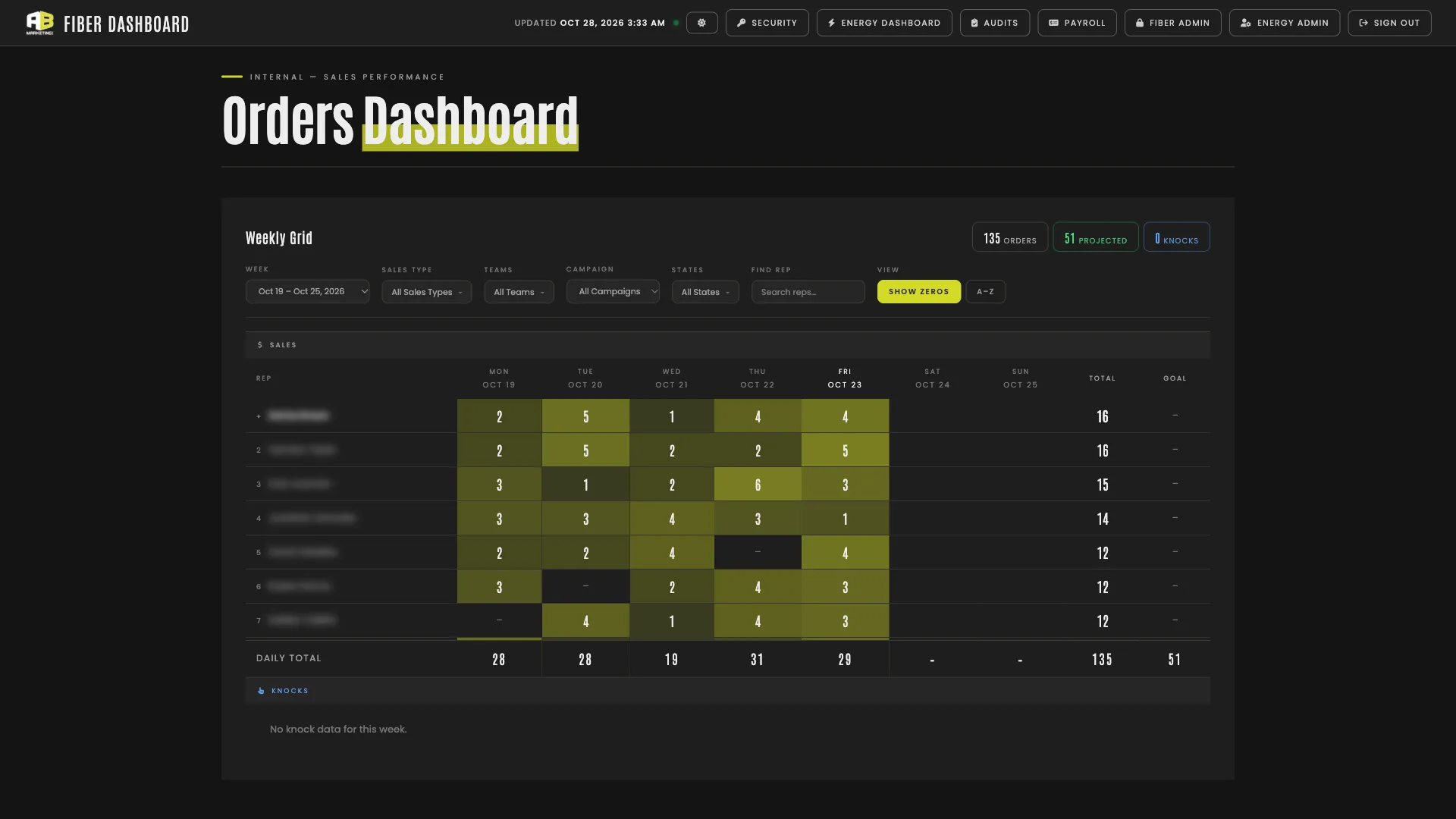
Data arrives on its own. T-Mobile order and knock exports, AT&T’s daily feed, the weekly pay report and job-board application emails all land through secured ingest endpoints, and every order is matched to a rep, a team and a pay scale. The sales dashboard above is the company’s week at a glance: a grid of every rep’s orders by day, then a performance overview for any date range with leaderboards, plan and account-status breakdowns, knocks by territory, monthly sales and install goals, and the bonus trackers.
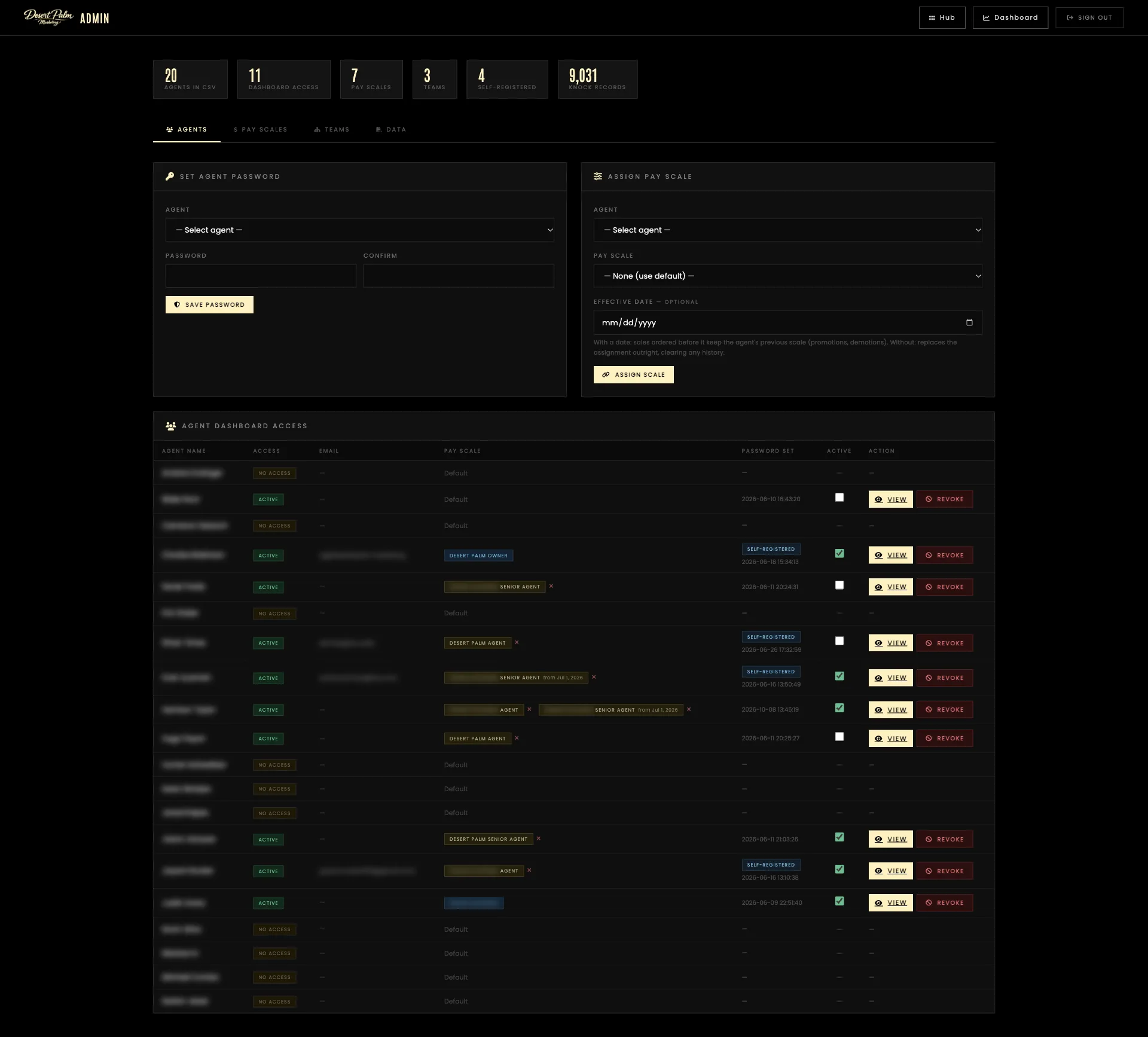
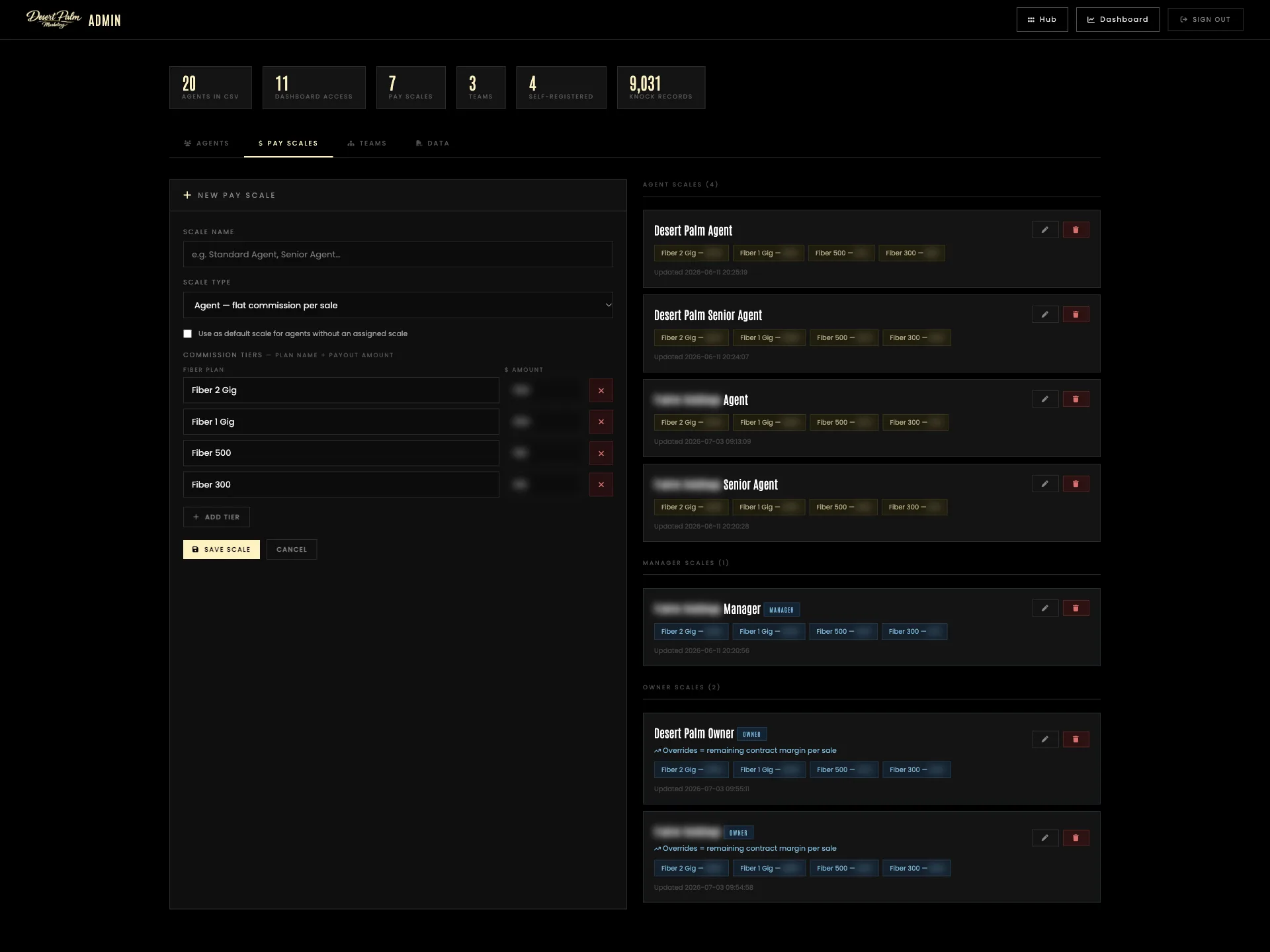
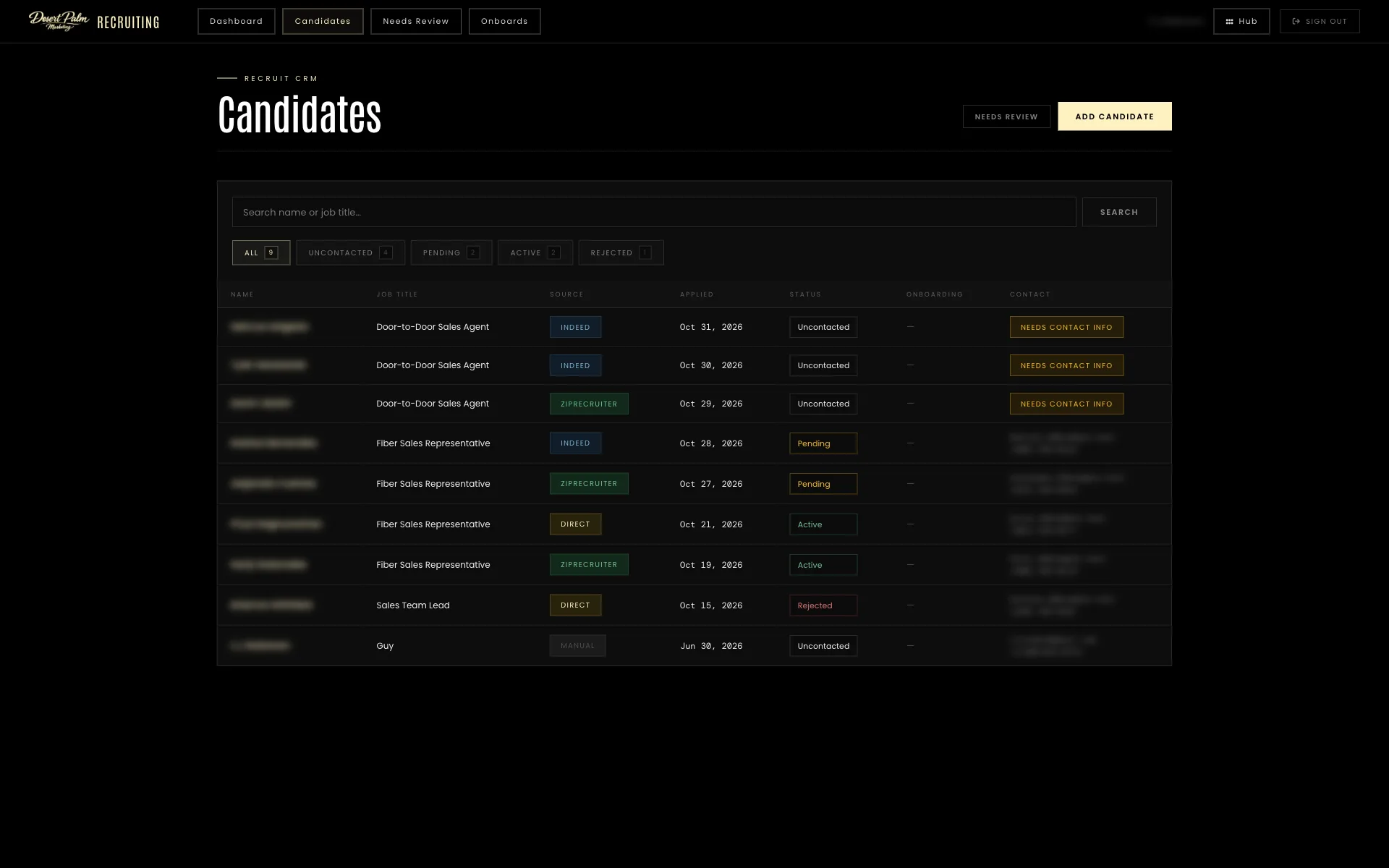
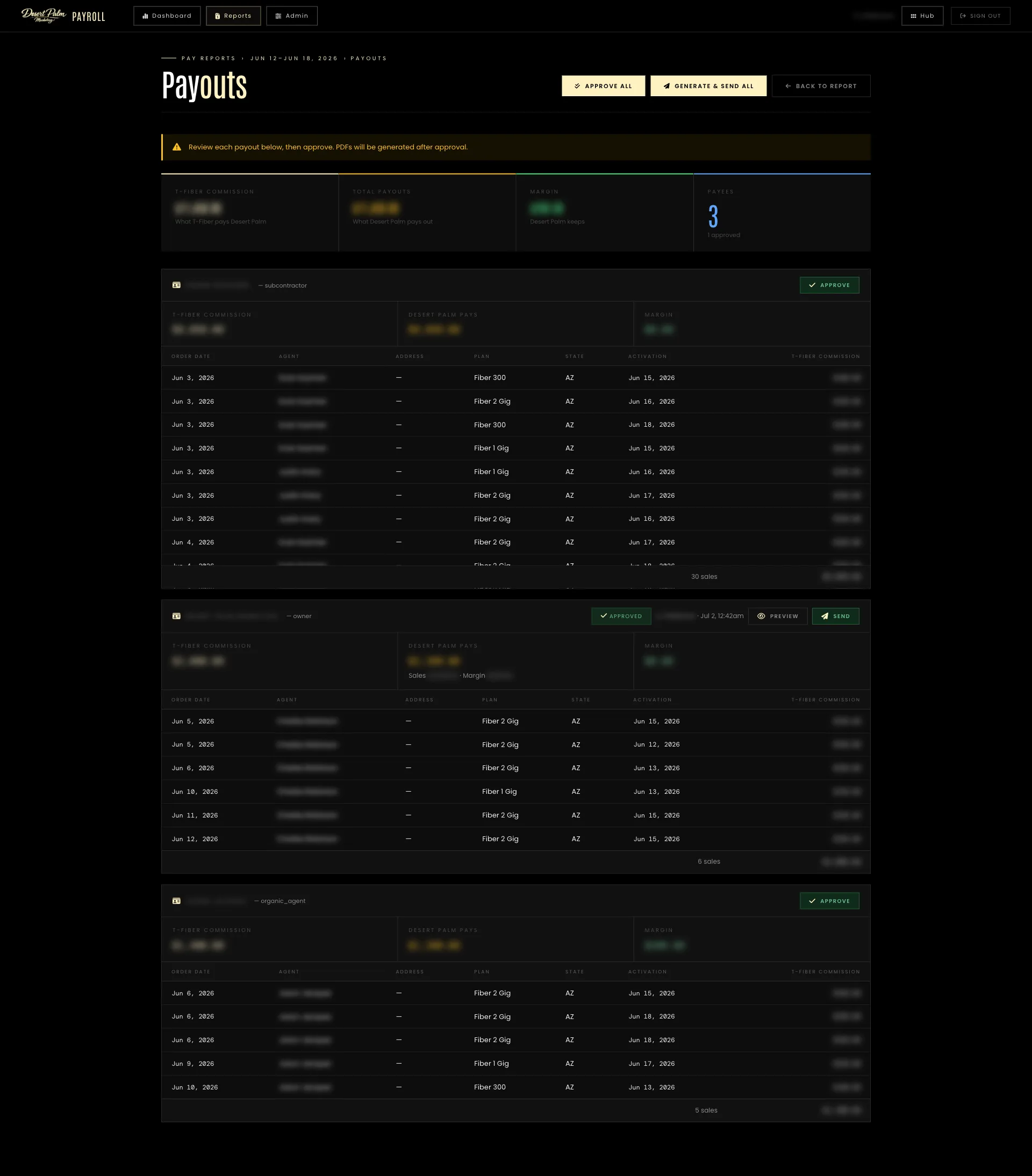
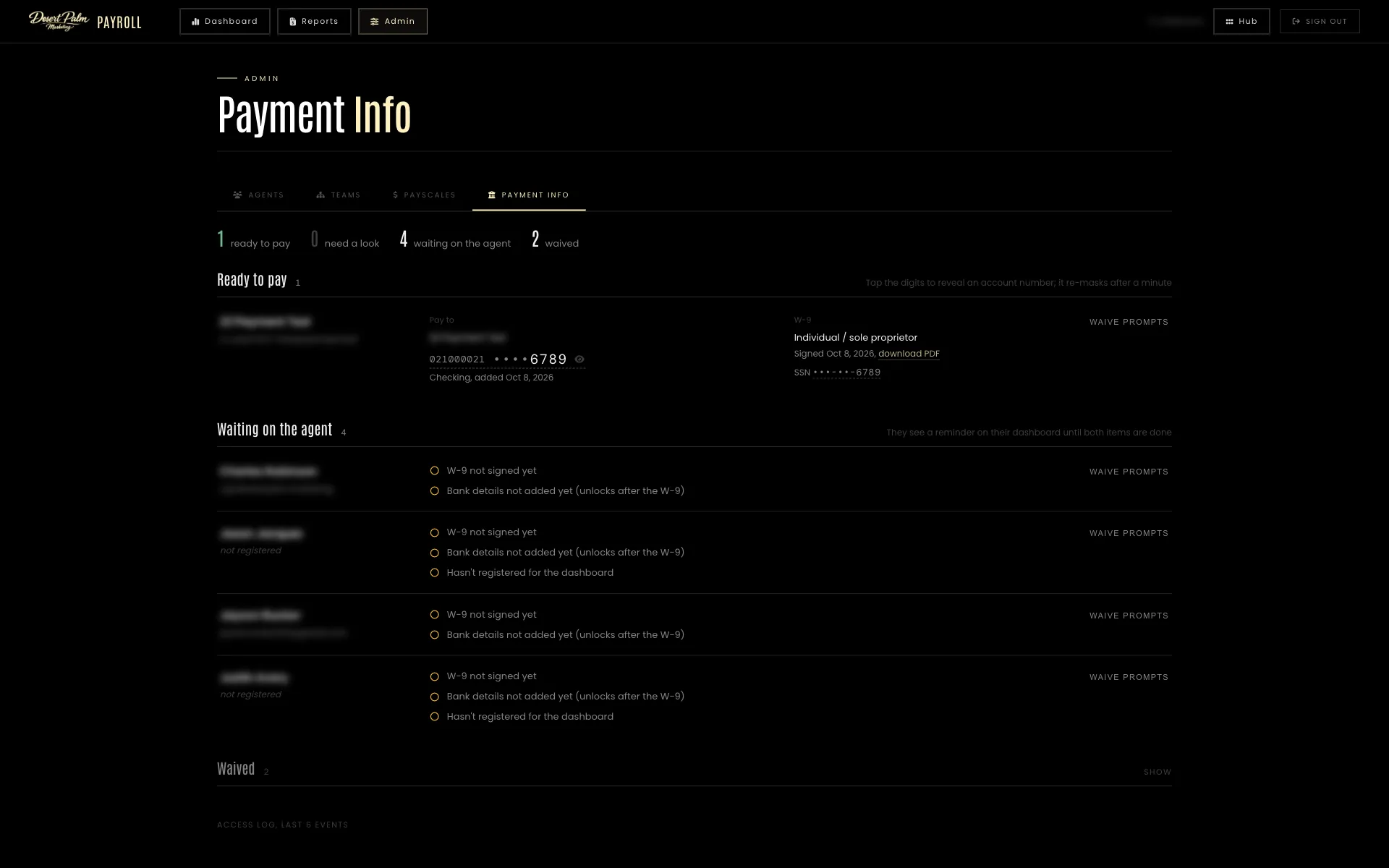
Behind it sit five more tools, each shown below: the launcher that signs everyone in, the agent portal, an admin panel, a recruiting pipeline and the payroll tool.

One login, four doors
Everything admin-side sits behind the Hub, a launcher that signs in with a passkey only: no password to phish and no code to type. One session opens the sales dashboard, the admin panel, recruiting and payroll, and signing out closes all of them at once.
Passkeys are enrolled from a single-use link minted over SSH, so the page itself can never add one. It can rename or revoke them, and it keeps nagging until at least two independent keys are on file.
A portal reps actually open
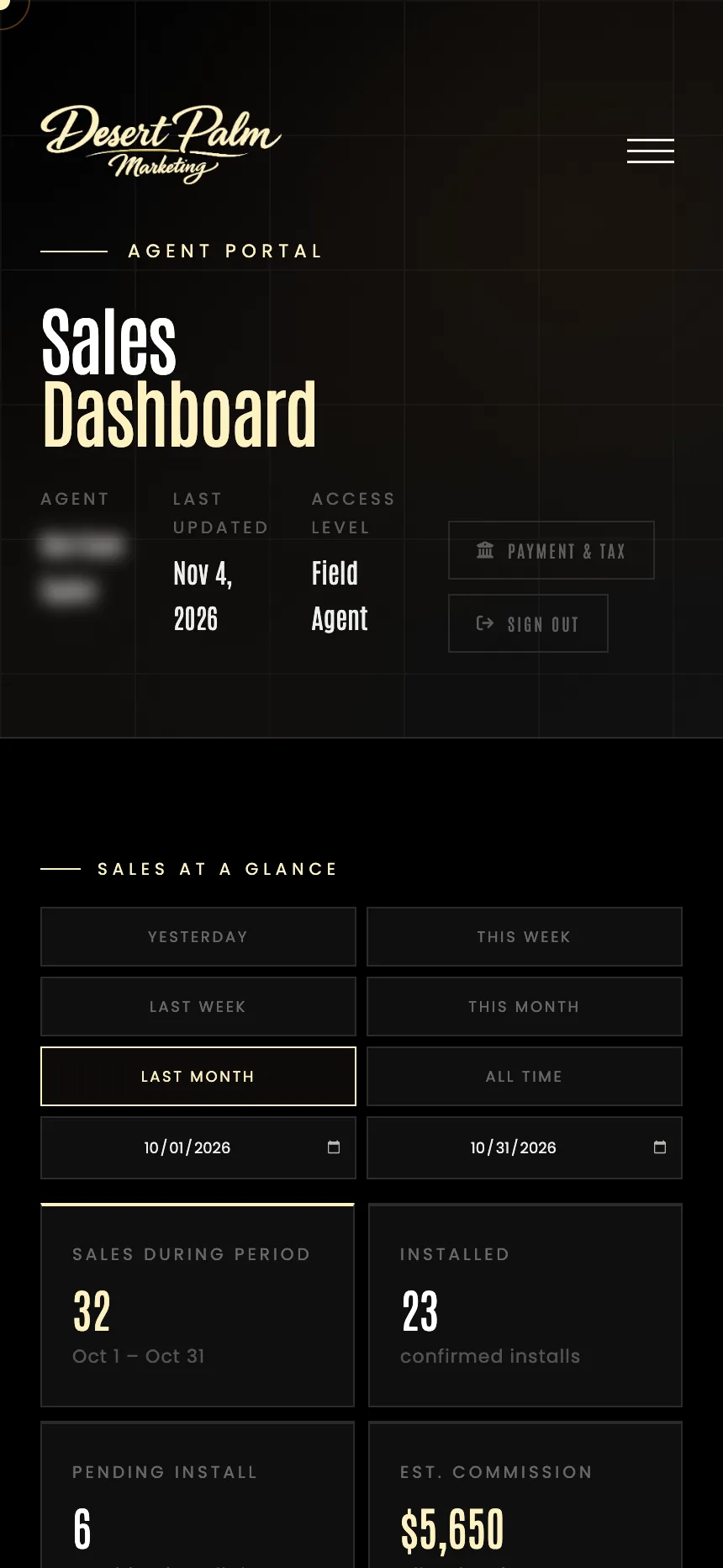
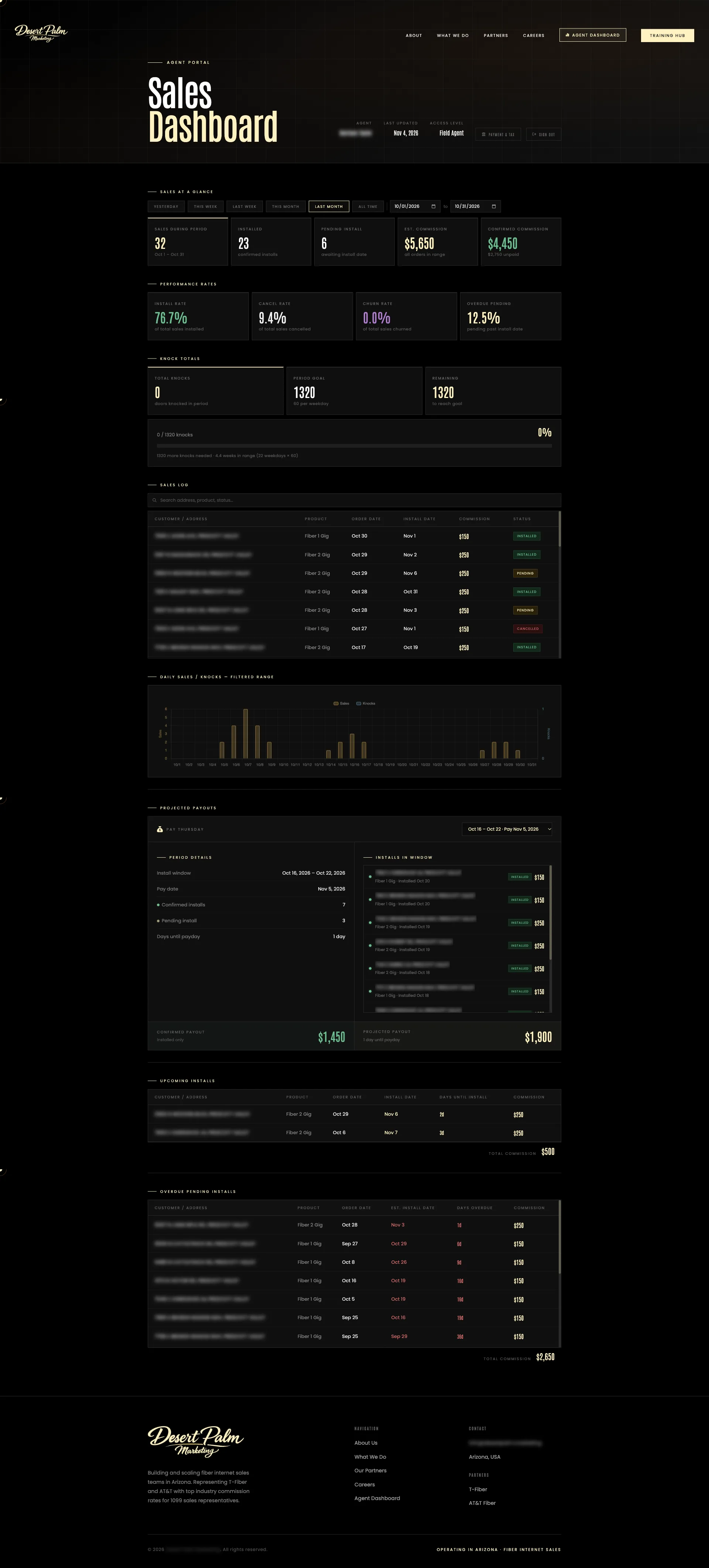
Agents claim their account by matching their name and rep number from the sales feed, then see their own month: sales, installs, pending and overdue installs, install and churn rates, estimated against confirmed commission at their own pay-scale rates, knocks against the weekly goal, and a sales log they can search. The projected-payout panel shows the next pay Thursday with every install in its window, so “how much is my check” is a glance. Managers see their whole team on the same screens.
The portal also collects what payroll needs. A W-9 is signed on screen and rendered to PDF, direct-deposit details are checked against the bank routing registry, and both are encrypted under their own key with every reveal audit-logged. A reminder sits on the dashboard until both are done.
Agents, teams, pay scales and data
Dashboard access is granted or revoked per agent, a password can be set for anyone who has not registered, and pay scales are assigned with an effective date so earlier sales keep their old rates. Pay scales are ladders by fiber plan, with manager overrides and owner margin rules; teams carry a manager, members and per-member overrides with date ranges, and the admin can open any agent’s portal to see exactly what they see.
The data tab takes T-Mobile order and knock files and AT&T’s daily report. Uploads merge by order number and never delete, because the carrier export is a trailing window, and a Discord note goes out when a run lands.
Recruiting without the inbox
Applications from Indeed and ZipRecruiter arrive as email. A mail pipe posts each one into the Hub, which parses it into a candidate or, when it cannot, parks it in a needs-review queue with the raw message so nothing is ever dropped. A ZipRecruiter export fills in contact details without overwriting edits.
Candidates move from uncontacted to pending, active or rejected, and one click sends the onboarding email. The completed onboarding form, with the applicant’s ID numbers encrypted at rest, is rendered to PDF, emailed on to the payroll partner and scrubbed after delivery, and shows up on the candidate’s record.
Payroll that reconciles itself
Each week’s pay report is imported, or arrives by itself through the ingest endpoint, and its lines are matched to agents through their aliases, with an unresolved queue for names that do not match. Compute turns the report into one payout per payee, agent, subcontractor or owner, at that payee’s scale, with the margin the company keeps shown line by line, and a reconciliation check confirms the lines add up to the spreadsheet total.
Approve, generate the PDF pay stub and send it by email, one at a time or for the whole run. The payment-info worklist sorts agents into ready to pay, needs a look and waiting on the agent, and reveals a bank account for one minute before masking it again.
Want something like this?
One build fee, low annual hosting, and you own it outright. See what every build includes, then tell us about your project.